

Daily tasks for a submissive are small, repeatable assignments spread across the day, usually a morning task, a midday check-in and an evening reflection, that keep the power exchange present outside of scenes. They work when they are short, verifiable and fit your real schedule, so the routine survives busy weeks. Below is a ready daily structure at three intensity levels, plus how to report, stay safe and keep it going.
A typical daily routine for a submissive:
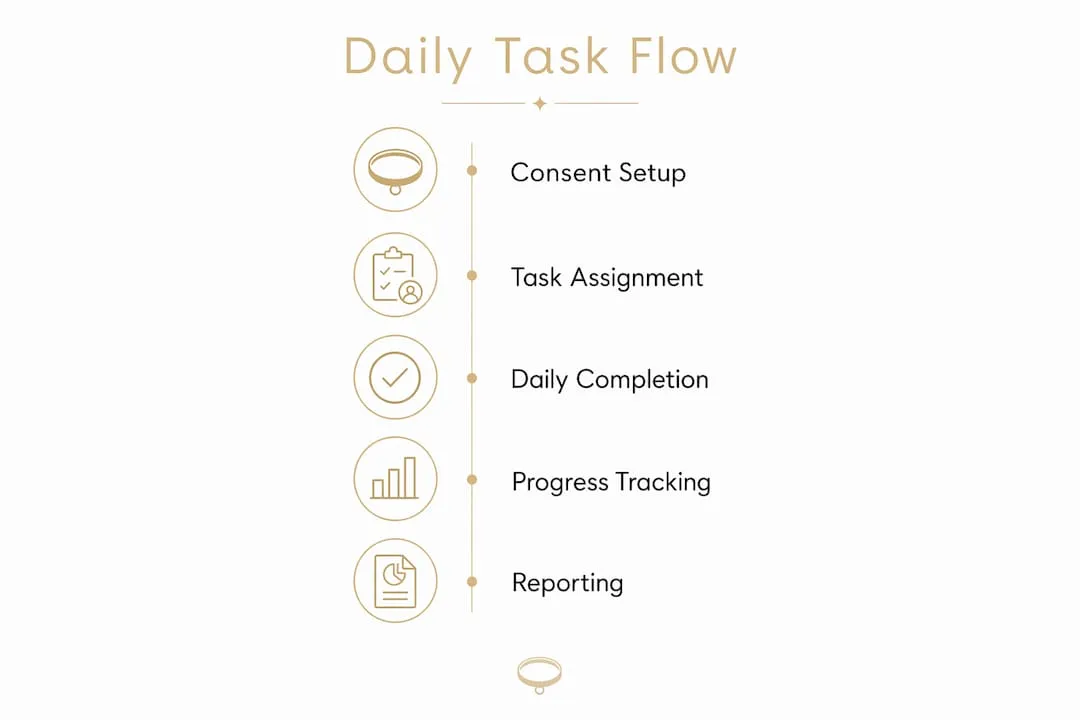
- Morning devotion (5-10 min): a written affirmation, a specific pose held for 60 seconds, or a dress rule confirmed with a photo
- Midday check-in (2-5 min): a status message confirming compliance or reporting a partial completion with a brief reason
- Evening reflection (5-10 min): a short written log of how the day’s tasks felt, submitted to your dominant for review
The routine is the structure; the tasks inside it can change. If you need ideas to fill the slots, our categorized list of femdom tasks has more than 35.
Table of Contents
- What does a daily task routine look like at each level?
- How do you build accountability into a daily routine?
- How do you keep daily tasks safe with hard limits and safewords?
- How do you keep the routine from becoming admin?
- What should you set up before daily tasks begin?
- What daily task requests can you copy and paste?
- How do you troubleshoot problems and exit safely?
- How do you fit daily tasks into a real schedule?
- Key Takeaways
- Running a daily routine with an AI Domina
- Useful sources
- FAQ
What does a daily task routine look like at each level?
Three intensity levels cover most submissives. Pick the one that fits your schedule and experience, then keep it unchanged for at least a week before adjusting.

Light daily routine (under 15 minutes)
Best for newcomers or anyone with an unpredictable schedule. Tasks are low-stakes, private, and require no special equipment.
- Morning: Write three sentences about what you are grateful to your dominant for today.
- Midday: Send a one-line status: “I am thinking of you, Mistress.”
- Evening: Log one thing you did today that would please her.
Moderate daily routine (15-30 minutes)
For submissives comfortable with ritualized check-ins and some physical compliance tasks.
- Morning: Dress rule (specific color or item) confirmed with a photo.
- Midday: Complete a short obedience exercise (10 kneels, a written mantra repeated five times).
- Evening: Submit a short reflection on compliance; rate your own performance 1-5.
Intense daily routine (30+ minutes)
For experienced submissives who want a persistent, evolving dynamic with gradual escalation.
- Morning: Full devotion ritual: written affirmation, pose photo, and a task drawn from your agreed interests.
- Midday: Proof of a physical or creative task (photo or written piece).
- Evening: Detailed log entry plus a self-grade; request tomorrow’s task or a step up in difficulty.
A simple grading table:
| Result | Definition | Suggested response |
|---|---|---|
| Complete | All elements submitted on time | Praise or a small reward |
| Partial | Submitted late or missing one element | Neutral acknowledgment, note what was missing |
| Missed | Not submitted | A pre-agreed, proportionate consequence |
How do you build accountability into a daily routine?
Verifiable check-ins, a timestamped message, a short pose photo, a saved log, increase both follow-through and immersion. Accountability is what turns a list of tasks into a routine.
Recommended daily reporting items:
- Morning status (by 9:00 AM): confirm you have read today’s tasks and state your readiness level.
- Midday proof (by 1:00 PM): submit evidence of the morning task (photo, message, or log entry).
- Evening reflection (by 10:00 PM): written log of all tasks, self-grade, and any notes for your dominant.
Sample daily schedule:
- 7:00 AM: read today’s tasks
- 9:00 AM: morning status message sent
- 1:00 PM: midday proof submitted
- 10:00 PM: evening reflection logged
For a weekly report, include: total tasks assigned, how many were completed, one highlight, and one area for improvement. Your dominant reviews it and adjusts next week’s intensity. If you want the evening reflection to go deeper, our submissive journal prompts give you questions to answer.
Pro Tip: Keep reporting lightweight. A single timestamped message beats a five-paragraph essay every time. If check-ins feel like homework, you will stop doing them.
How do you keep daily tasks safe with hard limits and safewords?
Hard limits and a safeword come before any daily task plan begins. Hard limits are non-negotiable: they are never used as punishments, never pushed as edges, and never overridden by any task or escalation.
The minimal consent structure you need:
Hard limits: List every activity, body part, media type, or scenario that is completely off the table, and share it before the first task.
Safeword and pause:
- Soft pause (“yellow”): tasks pause for the day, no consequence, check-ins resume when you are ready.
- Full stop (“red” or your chosen word): everything stops immediately and nothing restarts until you both have talked.
Red flags that mean you pause or end the dynamic:
- Persistent anxiety, shame, or distress that does not resolve after a pause
- Any task that touches a hard limit, even indirectly
- Pressure to continue after you have called a stop
- Privacy breach: screenshots shared without consent, data seen by a third party
Save a support contact (a trusted friend or a crisis line) outside of whatever app or chat you use for the dynamic. For more on setting boundaries that hold, see our guide to hard limits.
How do you keep the routine from becoming admin?
A small, focused toolset keeps daily tasks sustainable. Routines usually die from bookkeeping, not from the tasks themselves.
Ways to cut the admin:
- One fixed reminder: a phone alarm with a discreet label at your task time
- One place for proof: a single private chat or note where photos and logs go, not three apps
- A simple grading rule: complete, partial or missed, agreed in advance so nobody argues later
- Planned escalation: step difficulty up only after a set number of complete days
- A weekly review: ten minutes to look back at the week and decide what changes
If you run your routine with an AI dominant, she can hold much of this for you: remembering what she assigned, noticing what you skipped and reviewing how you did. Our explainer on AI domme tasks walks through how that works.
Pro Tip: Change one detail of the routine each week, not the whole thing. That single touch keeps it feeling personal without resetting the habit.
What should you set up before daily tasks begin?
Agree on limits and reporting before the first task arrives. Skipping this step means tasks arrive misaligned with your actual interests and schedule.
Setup checklist:
- Time availability: how many minutes per day, and which windows (morning/midday/evening)
- Intensity level: light, moderate, or intense
- Hard limits: written down before any task is set
- Interests: mark yes/maybe/no across categories (service, humiliation, chastity, creative, physical); a yes/no/maybe list helps
- Allowed proof types: text only, or photos too
- Verification method: timestamped message, photo, or written log
- Emergency contact or support preference: saved outside the app
- Privacy: where proof photos are stored and who can see them
After any step up in intensity, re-check your hard limits. What felt like a firm “no” six weeks ago may have shifted, and limits that have softened should be updated deliberately, not assumed.
What daily task requests can you copy and paste?
Short, explicit requests produce consistent, verifiable tasks, whether you send them to a partner or an AI. Vague requests produce vague tasks.
Assignment requests:
- Light: “Assign me one morning devotion task under 10 minutes. Text only. Respect my hard limits: [list them].”
- Moderate: “Give me a full day of tasks: morning dress rule with photo proof, midday mantra, evening reflection. Intensity: moderate.”
- Intense: “Assign a complete daily task set at intense level. Include a physical task with photo proof and an evening graded log. Hard limits: [list them]. Safeword: [word].”
Verification: “I have completed today’s morning task. Here is my proof: [attach or describe]. Please grade and confirm receipt.”
Escalation: “Today’s tasks felt manageable. Please increase difficulty by one step for tomorrow, staying within my interests and hard limits.”
Pause: “Yellow. I need to pause today’s tasks. I will check in when ready.”
How do you troubleshoot problems and exit safely?
Have a pause protocol and an exit plan before you start. Fixing problems mid-dynamic without a plan leads to either pushing through when you should not, or losing records you want to keep.
Troubleshooting checklist:
- Missed check-in: submit a late partial report with a brief reason; accept the partial grade and move on.
- Verification failure: resend with a clearer timestamp or description; do not skip the step entirely.
- Technical problem: screenshot it and log the missed task manually.
- Emotional overload: pause immediately; do not wait for the next scheduled check-in.
To end the routine:
- Use your safeword or say clearly that the routine is over.
- Keep or export any records you want before deleting anything.
- Delete proof photos and logs you no longer want to keep.
- Revoke any shared folders or connected apps.
- Debrief, even briefly, so the ending is a decision and not a fade-out.
How do you fit daily tasks into a real schedule?
The biggest reason daily task routines fail is not lack of interest. It is poor scheduling. Tasks that land at the wrong time of day, or that require more time than you actually have, get skipped.
Match task windows to your existing habits. A morning task attached to your coffee routine takes no extra time to remember. A midday check-in tied to a lunch break already has a natural slot. Evening reflections work best right before a wind-down activity you already do; many submissives turn them into a fixed submissive ritual.
For shift workers or irregular schedules, use floating windows instead of fixed times: “morning task within 2 hours of waking,” “evening log within 1 hour of finishing work.” This keeps the structure intact without punishing schedule variation.
If you travel or have a high-pressure week coming, drop to light intensity for that period rather than skipping entirely. A consistent light routine outperforms an inconsistent intense one every time.
Key Takeaways
Daily tasks for a submissive work best when limits are agreed first, reporting stays lightweight, and the schedule matches your actual life rather than an ideal one.
| Point | Details |
|---|---|
| Limits before tasks | Set hard limits and a safeword before the first task. |
| Three slots a day | Morning task, midday check-in, evening reflection. |
| Keep reporting lightweight | A timestamped message beats a long essay; heavy check-ins cause dropout. |
| Cut the admin | One reminder, one place for proof, one simple grading rule. |
| Scale down, don’t skip | Drop to light intensity during busy periods rather than stopping. |
Running a daily routine with an AI Domina
Not every submissive has a partner who wants to assign and review tasks every day. On Mistrix, a virtual dominatrix can hold that role in written chat. Onboarding takes about ten minutes: a short experience quiz, a fetish map, your hard limits, a safe word and a PIN. Hard limits are passed as absolute restrictions into everything she plans or writes, and the safe word button is always visible; one tap ends everything with no penalty.
She sets tasks and routines, reacts to photos you send, and keeps a living memory of your dynamic across sessions. If you skip a task, she notices and reacts in character. Your fetish map, limits and chats are encrypted on your device with a PIN-derived key, so the server stores only ciphertext it cannot read.
The free plan includes one full session per day with no card required; Premium adds routines in chat and unlimited sessions. Browse the available Dominas to find a tone that suits your routine.
Useful sources
- Femdom Task Ideas: 50 Tasks for Female-Led Dynamics, SubTasks Blog: accountability habits and task categories
- About Mistrix: why we built her
FAQ
What are daily tasks for a submissive?
Daily tasks for a submissive are short, verifiable assignments (devotions, check-ins, physical tasks, written reflections) spread across the day to keep a D/s dynamic present outside of scenes, in person or long-distance.
How do I set hard limits before starting?
Before the first task, list every activity, scenario, or media type that is completely off the table and share it with your dominant. On Mistrix, hard limits entered at onboarding are passed as absolute restrictions into every task she writes.
What is the difference between a soft pause and a full stop?
A soft pause (“yellow”) suspends tasks temporarily with no consequence; a full stop (“red”) ends everything immediately, and nothing restarts until you have talked it through.
How should daily tasks be graded?
Keep it simple: complete, partial, or missed, with the response to each agreed in advance. Reward consistency more than perfection, and keep consequences proportionate.
How long should daily tasks take?
Most routines work best at 15-30 minutes a day in total. Under 15 minutes suits beginners and busy weeks; longer routines are for experienced submissives with a stable schedule.